

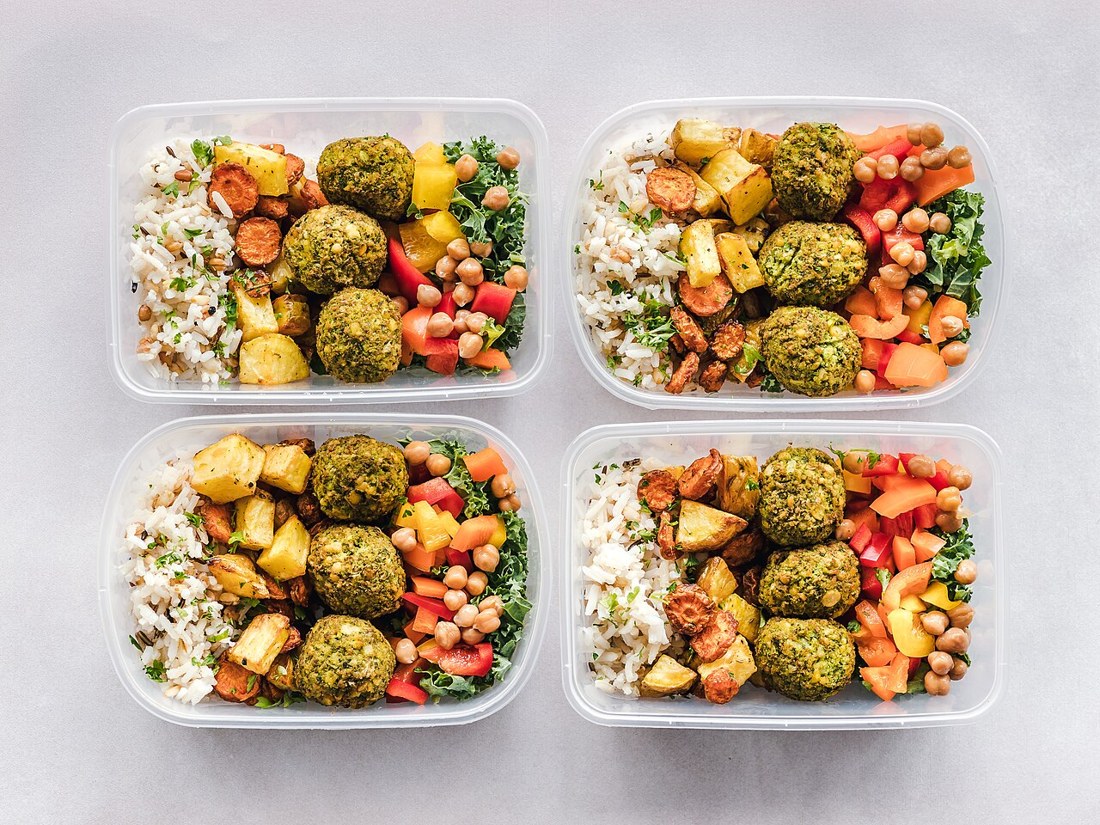
A meal planning template is the simplest way to stop the nightly question of what to cook. Instead of deciding from scratch every evening, you decide once, usually for a week, and then follow a clear plan for breakfasts, lunches, dinners and snacks. That one change can cut food waste, lower grocery bills and make weekdays feel calmer, because the hardest part of cooking is often not the cooking itself but the deciding.
The best templates are not rigid menus. They are flexible frameworks that leave room for leftovers, busy evenings, a takeaway night and the food you already have. A good plan should reduce decisions without removing choice, and it should be easy enough to repeat next week with small changes rather than starting again. If a template takes longer to maintain than it saves, it is too complicated.
Balance is also easier when the week is planned in advance. When you can see the whole week at a glance, you can spread out richer meals, add more vegetables on lighter days and avoid three pasta dinners in a row by accident. The USDA MyPlate guide offers a helpful visual reminder of how to build a balanced plate, with vegetables, fruit, grains, protein and dairy in sensible proportions.
What a Meal Planning Template Includes
At its core, a weekly template is a grid. Across the top are the days of the week, and down the side are the meals you want to plan. Most households only need breakfast, lunch and dinner, with an optional snack row. Some people also add a column for notes, such as who is home, whether anyone is eating out, or what needs to be used up first.
A useful template also includes space for preparation notes. That might be as simple as writing “cook double rice” next to Monday dinner, or “use leftover chicken” next to Tuesday lunch. These small notes are what turn a list of meals into a working plan, because they connect one day to the next and stop ingredients from being forgotten at the back of the fridge.
- Days of the week, with breakfast, lunch, dinner and snacks for each day.
- A shopping list grouped by shop section, so you buy only what the plan needs.
- Prep notes, such as what to cook ahead, freeze or use as leftovers.
- A backup meal for nights when plans change, illness strikes or energy runs out.
- Space for dietary notes, allergies, portion sizes and who is eating each meal.
You do not need to plan every snack or drink. In fact, planning too much detail is a common reason templates fail. Start with dinners, because they cause the most stress, then add lunches and breakfasts only if that helps. A template that covers the meals you actually struggle with is far more useful than a perfect-looking sheet that nobody follows.
How to Build a Weekly Template Step by Step
Building a template takes about half an hour the first time, and much less after that. The aim is not to find perfect recipes, but to create a repeatable routine. Set aside a quiet time, ideally before your main shop, and work through the steps in order rather than jumping straight to recipes.
- Check your calendar first. Note late workdays, evenings out, school events and any guests, then match easy meals to busy days.
- Check what you already have. Look in the fridge, freezer and cupboards, and plan meals around ingredients that need using first.
- Choose your main meals. Pick five or six dinners, a few repeatable breakfasts and lunches, and leave one flexible night for leftovers.
- Repeat ingredients, not meals. If you buy chicken, spinach or rice, use them in two different dishes during the week.
- Write the shopping list from the plan. Group it by produce, dairy, meat or alternatives, bakery, frozen and cupboard items.
- Note one prep task. This could be cooking grains in advance, marinating meat, or chopping vegetables for the next two days.
Theme nights can make this process much faster. For example, Monday can be meat-free, Tuesday can be a stir-fry or noodle night, Wednesday can be a traybake, Thursday can be soup or salad, and Friday can be a relaxed, fun meal. Themes remove the blank-page problem, because you are no longer choosing from every possible meal, only from the meals that fit that night.
A Worked Example Week
This example is for two adults and uses familiar, quick meals. It is not a strict diet plan, and portions can be adjusted. Notice how ingredients repeat, leftovers are used on purpose, and the most time-consuming meal is placed on a weekend day when there is more time to cook.
- Monday: Lentil and vegetable soup with crusty bread; cook a double batch and freeze half for later in the month.
- Tuesday: Chicken and vegetable stir-fry with rice, using peppers, spring onions and frozen mixed vegetables.
- Wednesday: Baked sweet potatoes with black beans, sweetcorn, cheese and a simple salad.
- Thursday: Salmon or tinned tuna pasta with broccoli, garlic, lemon and olive oil.
- Friday: Homemade pizzas with a simple base, tomato sauce and whatever vegetables need using up.
- Saturday: Slow-cooker chicken curry with rice, started earlier in the day so the evening stays relaxed.
- Sunday: Roast chicken with potatoes and vegetables; leftover chicken becomes sandwiches or soup on Monday.
For breakfasts, keep the same two or three options rotating through the week, such as porridge with fruit, toast with eggs, or yoghurt with oats and berries. Lunches can be simpler still: soup, sandwiches, grain bowls, or leftovers from dinner. The template works best when breakfast and lunch are easy, because that leaves your time and energy for the main evening meal.
Grocery Lists and Batch Cooking That Actually Work
A shopping list should be written directly from the template, not from memory in the shop. Go through each meal, note every ingredient you do not already have, and then group the list by section. This stops impulse buying and makes it much easier to see when you are about to buy a third jar of the same spice. It also helps to check the list against your cupboards before you leave, because duplicates are one of the most common sources of waste.
Batch cooking does not mean cooking every meal on Sunday. It means cooking a little extra on purpose. Make a double portion of soup, rice, roasted vegetables or a sauce, and use the second portion later in the week or freeze it for a busy night. Cooked grains, beans and many sauces freeze well, and a stocked freezer is often the difference between a calm evening and an expensive takeaway. Label containers with the dish and date, and use the oldest food first.
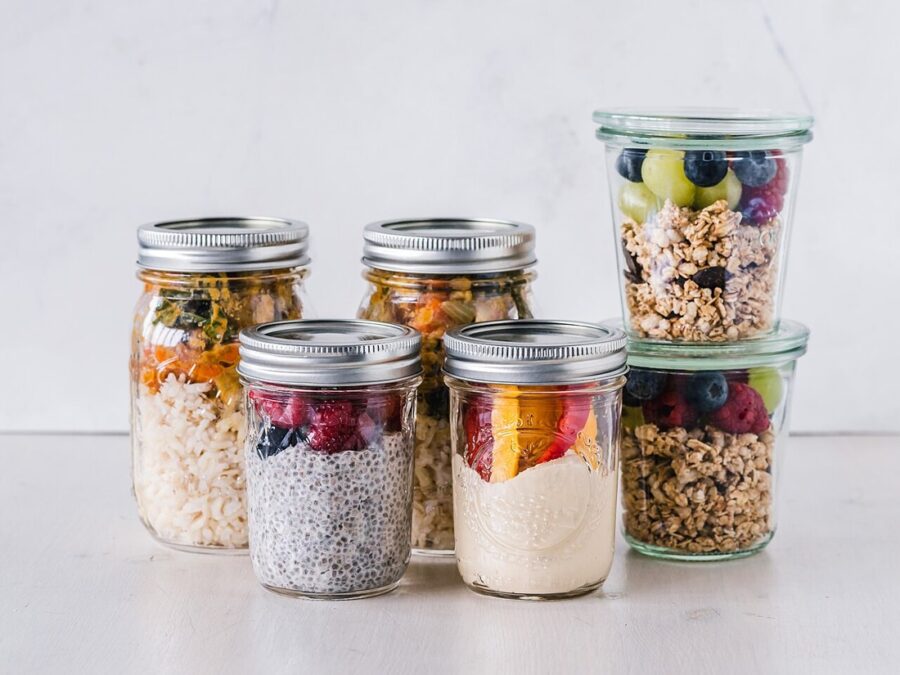
Food safety matters here. Cool cooked food quickly, store it in clean, sealed containers, and keep leftovers in the fridge for only a few days unless they are frozen. When reheating, heat food until it is piping hot throughout. A template helps with safety too, because it shows when a leftover was planned to be eaten, rather than leaving it to be discovered a week later.
Adapting the Template for Budget, Family Size and Diet
Planning on a tight budget
For a tighter budget, build the week around affordable staples such as beans, lentils, eggs, oats, rice, potatoes and seasonal vegetables. Meat can still be included, but in smaller amounts and stretched with grains and vegetables, for example in a chilli, curry or stir-fry. Buy frozen vegetables when fresh prices are high, and check what is on offer before finalising the plan, rather than writing the plan and then paying full price for everything.
Planning for different household sizes
For one person, cook a full recipe, eat one portion, and freeze the rest in single servings. That gives variety without cooking every night. For a larger family, use the template to spot where one base meal can be adapted, such as a mild curry for children with extra spice added separately, or tacos where everyone chooses their own fillings. Write portion notes on the template so the same plan works next time without guesswork.
Planning for different diets
The same grid works for vegetarian, vegan, gluten-free or dairy-free eating. The key is to plan the protein and main flavour for each meal first, then build the rest around it. For example, a grain bowl can be topped with chicken, tofu, beans or fish, while a pasta dish can use a gluten-free pasta without changing the sauce. Keep a short list of trusted swaps on the template itself, so a dietary need does not require a new plan every week.
Common Mistakes to Avoid
- Planning seven completely new recipes in one week, which is exhausting and expensive.
- Ignoring your calendar and planning a slow, complex meal for your busiest evening.
- Forgetting breakfasts, lunches and snacks, then letting those meals become unplanned takeaways.
- Treating the plan as a rule rather than a guide, so one change causes the whole week to be abandoned.
- Shopping without a list, or writing a list that does not match the meals on the template.
If a week goes wrong, do not scrap the template. Look at what actually happened: was the plan too ambitious, were ingredients missing, or did life simply get in the way? Adjust one thing for next week, such as adding a backup meal, reducing the number of new recipes, or moving the hardest meal to the weekend. Small, steady improvements are what make a template last.
A Printable-Style Template Layout You Can Copy
Imagine a simple sheet with seven columns, one for each day, and four rows for breakfast, lunch, dinner and snacks. At the top, write the week beginning date and any important notes, such as guests or evenings out. Under the grid, leave two sections: one for the shopping list and one for prep tasks. That is the whole layout, and it can be copied into a notebook, a spreadsheet or a notes app without any special tools.
For each day, write the meal name and one short note, such as “use leftovers” or “double portion for freezing”. Keep the shopping list in shop order, and tick items off as you buy them. At the end of the week, keep the sheet for a few days. It is a useful record of what worked, what was not eaten, and which meals are worth repeating. Over time, your best weeks become a small collection of templates you can rotate.
Frequently Asked Questions
How long does it take to fill in a meal planning template?
Most people need about 20 to 30 minutes for the first few weeks, and closer to 15 minutes once they have favourite meals and a routine. Keeping breakfasts and lunches simple, and reusing successful weeks, makes the biggest difference.
Do I need to plan every meal, including snacks?
No. Start with dinners, then add other meals only if it helps. Many people plan dinners and a few lunches, and keep a general list of breakfast and snack options that can be chosen on the day.
What should I do if I do not follow the plan?
Swap meals, use leftovers early, or fall back on your backup meal. A plan is a guide, not a test. If a meal is missed, move it to another day or save it for next week, rather than abandoning the whole template.
Can a meal planning template save money?
Yes, mainly by reducing impulse buys, duplicate purchases and food waste. Shopping from a list, using ingredients across several meals, and planning around what you already have are the three habits that tend to lower weekly food spending the most.
How do I keep a template interesting?
Change one or two meals each week, try a new ingredient or theme night, and keep a list of meals your household actually enjoys. Rotating three or four successful weekly templates is usually more enjoyable than inventing a completely new menu every week.
Start With One Simple Week
A meal planning template works because it moves decisions from tired evenings to one calm planning session. You do not need perfect recipes, expensive tools or a completely new routine. Choose five dinners you already like, write a shopping list from those meals, add one backup meal, and try the plan for a single week. Then adjust it based on what really happened.
For more practical ideas to fill your template, see our guide to meal planning ideas. Pick one idea from that guide, add it to next week, and see how much easier the week feels when dinner is already decided.
